AI Music · Practical guide
How to Upload Suno Songs to Spotify: Rights, Credits & Release Checklist
From a finished generation to a properly prepared release: what to check, what to credit, and what not to promise.
By DistriBeats Editorial Team · Published and sources checked
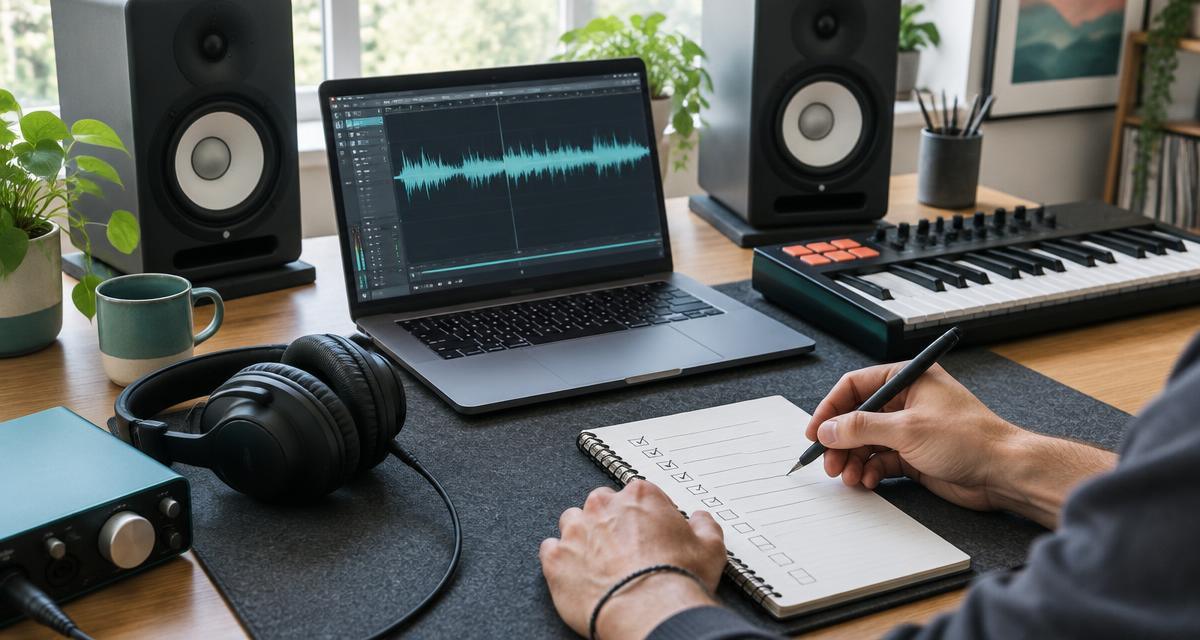
You do not need to guess your way through release metadata. This guide separates Suno’s licence rules from DistriBeats’ submission requirements, and both from Spotify’s publication process. A song that passes one stage has not automatically passed the others.
1. Check your commercial-use rights before uploading
Suno’s official distribution guidance says songs made while subscribed to Pro or Premier receive commercial-use rights, allowing distribution through a distributor. Songs made on the free plan do not receive that commercial licence. The important detail is the rights attached to the song when it was made—not simply whether your account is paid today. Read Suno’s distribution guidance.
| Song creation circumstances | What to check |
|---|---|
| Made during Pro or Premier | Suno says commercial use is granted. Verify third-party rights and the current terms too. |
| Made on the free plan | Personal, non-commercial use; not a commercially licensed release under the published guidance. |
| Free song, then upgraded | No automatic retroactive licence. Obtain express permission for that song rather than assuming. |
Keep a private evidence folder containing the song’s creation record, subscription receipt covering that period, applicable licence terms and any permissions for lyrics, samples or other inputs. A receipt helps establish timing; it does not prove ownership of material borrowed from someone else. Do not publish invoices, personal details or account credentials as promotional evidence.
Commercial-use permission is also different from copyright protection. Suno explicitly notes that ownership and copyright are not the same, and that generated material may not qualify for copyright protection. Human-written lyrics and other original human contributions need their own assessment. For a legal conclusion, consult your local copyright office or a qualified adviser. Read Suno’s copyright explanation.
2. Prepare your audio and artwork
Export the best genuine source file available. DistriBeats accepts WAV, FLAC or MP3; WAV at 16- or 24-bit and 44.1 kHz or higher is preferred. Turning an MP3 into WAV does not recover information already lost to compression. Listen to the complete export for clipping, glitches, unintended silence and cut-off endings before uploading.
Standard audio-master uploads currently have a 150 MB limit for PayOnce, PayOnce AI, Pro AI, Pro and Label accounts, and 50 MB for free accounts. These are file-size limits, not promises that every destination accepts every file. If your original exceeds the applicable cap, contact support rather than repeatedly attempting the same large upload.
Prepare square JPG or PNG artwork. DistriBeats accepts artwork between 1500 × 1500 and 5000 × 5000 pixels; 3000 × 3000 is a sensible target. Use images and fonts you are allowed to distribute, and keep unauthorised logos, misleading endorsements, prices and promotional links off the cover. AI-generated imagery still needs a rights and suitability check.
You can prepare a cover in DistriBeats Artwork Studio. Before export, compare the spelling of the artist and release title with your metadata. A polished image does not compensate for contradictory information.
3. How to upload your Suno song: step by step
A distributor is the bridge between your finished recording and Spotify. Choose one whose current AI policy fits your recording, and check its costs, royalty terms, support and rights requirements. Our AI music distribution comparison covers the decision; this guide focuses on preparing the release.
- Choose an eligible plan. For fully AI-generated audio on DistriBeats, use AI Pro or PayOnce AI Made, subject to rights and review. A human-made plan is not a workaround for an AI declaration. Check current plans before purchasing.
- Start a release and enter its identity. Use the intended artist name, release title and release type. Select a supported genre and, if used, an appropriate supported subgenre. Do not use a genre field for an artist nickname or campaign slogan.
- Add the recording and artwork. Upload the checked master and cover. Confirm the track title, artist, language, explicit-content setting and instrumental declaration match the actual audio. Do not mark a recording instrumental when it contains generated sung vocals.
- Supply honest credits and rights information. Add actual contributions, disclose AI involvement and attach the AI commercial-usage licence on the rights step for an AI-plan release. Retain the supporting evidence privately. Check the © and ℗ owner values and years; they are editable on DistriBeats. A default value is not evidence of ownership.
- Choose destinations and a realistic date. Confirm destination eligibility and the minimum date allowed by your plan. Leave time to resolve questions. A submission date and a public release date are different events.
- Review, submit and follow the existing release. Check every track before submission. If review requests a correction, update that release; do not create duplicates. After delivery, verify the public recording and artist mapping, then follow our Spotify for Artists profile guide.
4. Credit AI and human contributions honestly
A generation prompt does not mean you personally sang the resulting vocals or played its instruments. Record what actually happened: who wrote original lyrics, who produced the recording, which human performances were recorded and which elements were generated. Never add a famous artist’s name or imply an endorsement to make the release more discoverable.
DistriBeats requires a producer credit and at least one named contributor in a supported vocal, performance or instrument role for submitted tracks. Producer and writer credits alone do not satisfy the performance requirement. These are DistriBeats submission rules, not a claim that Spotify requires identical fields from every distributor.
If a fully generated track has no human performer, do not invent one to fill the field. Contact support before submission to confirm how the recording can be represented accurately. Likewise, credit yourself as a composer or lyricist only for work you actually contributed. Do not automatically copy a composer’s name into the producer field.
Illustrative credit correction
Incorrect: listing yourself under “Vocals” when Suno generated the entire vocal. Accurate next step: disclose generated vocals, retain the licence evidence and ask support how to represent the real contributions. If you recorded a genuine guitar part, credit that actual performance using its supported role. This example is not a customer release.
Spotify’s published AI protections focus on impersonation, spam and deception, with work on greater transparency. Do not interpret an AI tool’s commercial licence as permission to clone another artist’s voice or pass generated work off as theirs. Read Spotify’s AI protections announcement.
5. Choose a realistic release date
Give yourself time for review, corrections, delivery and each store’s own processing. DistriBeats currently recommends selecting a date at least nine days after submission because worldwide submission volumes can delay processing. On-time delivery cannot be guaranteed for dates sooner than nine days; the recommendation is not a delivery guarantee for later dates either.
The recommendation does not override your plan’s minimum. Free releases require 14 days, Pro and Label require eight days, and PayOnce can select today. The earliest selectable date is not a promise of same-day availability. Follow the minimum displayed for your selected plan and allow more time when a campaign depends on coordinated publication.
“Sent to Stores” is not the same as “Live.” Internal approval, provider acceptance and public availability are separate stages. Verify the actual Spotify link, correct audio and artist profile before announcing that listeners can stream the song. Do not plan a fixed launch around an unconfirmed delivery estimate.
6. Why an AI release may be rejected or delayed
A useful correction starts with the exact reported issue. Rights questions require evidence; inconsistent metadata requires accurate edits; file failures require a technical check. Repeatedly pressing Send cannot resolve these causes and may complicate recovery.
- Uncertain rights: a song was made on a free plan, inputs include uncleared material, or the evidence does not cover the recording.
- Misleading credits or identity: generated vocals are attributed to a human who did not sing, names imply another artist, or required fields conflict with the recording.
- Audio or artwork problems: the upload exceeds the cap, the file is damaged, the cover has unsuitable content, or metadata and cover disagree.
- Destination-specific review: individual stores may apply additional eligibility checks. Distribution to YouTube Music and YouTube Content ID participation are not interchangeable. Content ID access does not automatically qualify an individual recording.
- Publication delay: a release has been accepted for processing but is not yet available publicly. Keep following the original release instead of sending another copy.
When contacting support, provide the release title, the exact visible error and what you changed. Share rights documents only through the appropriate private support channel. Our eligibility guidance and Help Center explain the next steps.
7. Your final pre-submission checklist
Check the recording itself, not just the form. This checklist is deliberately conservative: a complete submission reduces avoidable questions, but does not guarantee approval or publication.
- Commercial-use rights verified for the specific song, not just your current subscription.
- Creation records, subscription evidence and third-party permissions retained privately.
- Original audio checked from beginning to end; no misleading quality conversion.
- Square artwork prepared with cleared image and font rights.
- Artist, title, language and explicit-content information checked.
- AI involvement disclosed accurately, with no invented human credits.
- Actual producer, writer and eligible performance credits confirmed; support consulted where needed.
- Release date meets the plan minimum and allows additional processing time.
- Selected destinations checked; Content ID eligibility considered separately.
- Existing release identifiers preserved if migrating; no duplicate delivery started.
If you are migrating an already released song, preserve its valid identifiers and matching metadata, and coordinate the migration. Do not replace an ISRC with an internal account or release identifier. Do not run competing deliveries for the same recording while trying to fix a delay.
8. Frequently asked questions
Can I put Suno songs on Spotify?
Yes, eligible songs can be submitted through a distributor if you have the necessary commercial-use rights and meet its policies and the store’s requirements. A paid Suno subscription is not a guarantee of distribution approval.
Can I release a song made on Suno’s free plan?
Suno’s published guidance says free-plan songs are for personal, non-commercial use and cannot be monetized. Do not submit one as a commercially licensed release unless Suno has expressly granted the necessary rights for that specific song.
Does upgrading Suno later license an older song?
Not automatically. Suno says starting a subscription does not give a retroactive commercial-use licence to songs made before subscribing. Check the original song’s rights rather than assuming your current paid status covers it.
Can Suno music earn streaming royalties?
Commercially licensed, accepted releases may earn royalties under the relevant store and distributor terms. Neither a licence nor publication guarantees streams, revenue or a fixed amount per play.
Must I credit myself as the vocalist on an AI song?
No. Do not claim a human vocal performance you did not provide. Disclose the AI-generated vocals and ask support how the release’s actual contributions should be represented if the required fields do not fit.
Which DistriBeats plan accepts fully AI-generated audio?
Use AI Pro or PayOnce AI Made for eligible fully AI-generated audio, subject to rights and review. Do not disguise it as human-made to submit through a human-made plan.
Does Sent to Stores mean the song is already on Spotify?
No. Sent to Stores means delivery has been accepted for processing; store publication is a separate stage. Confirm that the correct recording is publicly available before announcing it as live.
Is YouTube Content ID automatic for AI music?
No. Distribution to YouTube Music and eligibility for Content ID are different questions. Each recording must satisfy the applicable rights and eligibility requirements; access to the service does not guarantee acceptance.
Sources and policy notes
Official sources were checked on 10 October 2026. Policies can change; recheck the linked guidance and applicable terms before submitting. This is practical distribution guidance, not legal advice. DistriBeats-specific requirements are identified separately from Suno and Spotify policies.